Excel Add-in
Download and install the Prosights Excel extension.
Excel extension
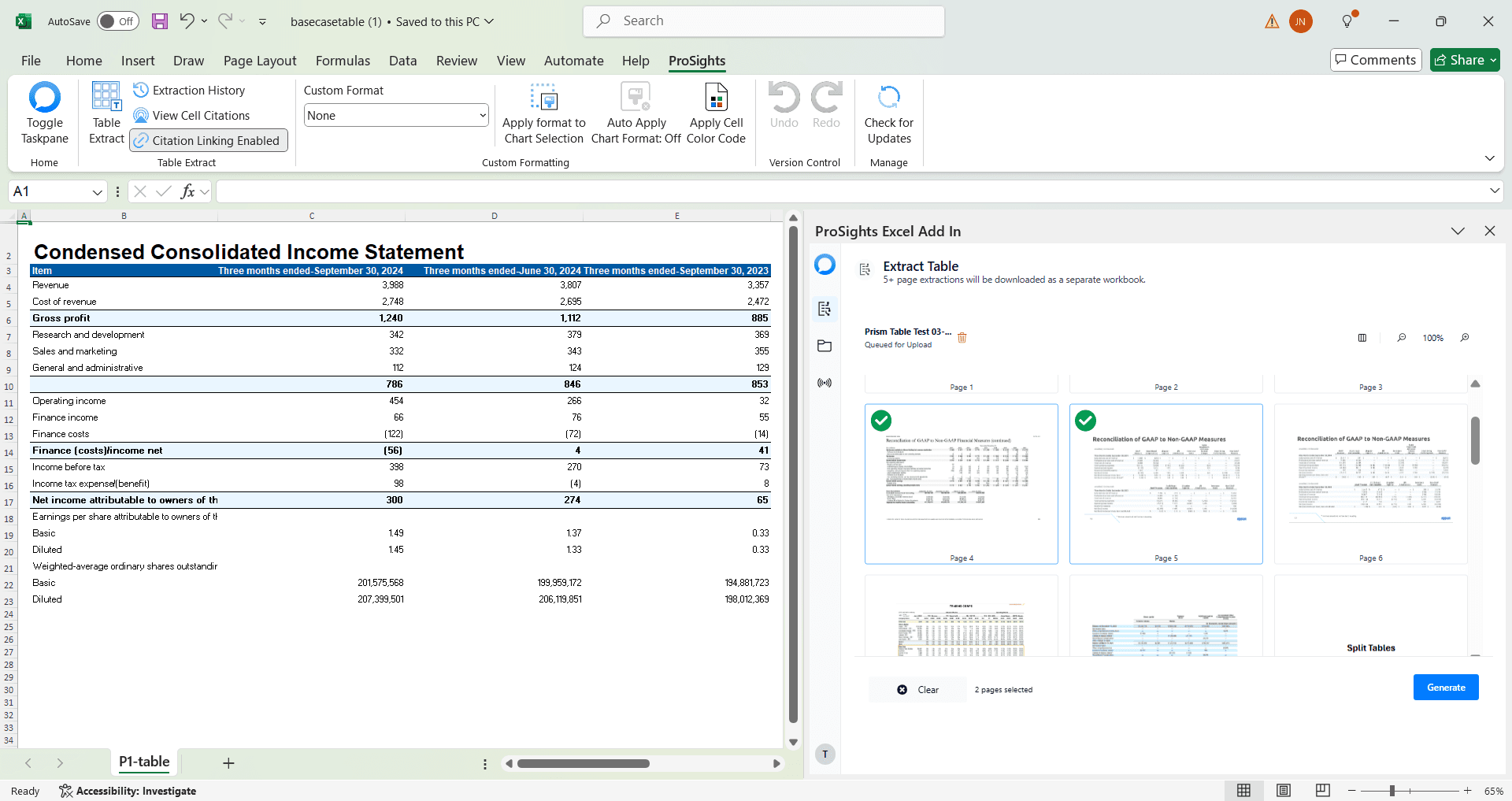
Extract financial tables from PDFs and images directly into Excel, automating tedious and error-prone data entry tasks.
Compatible with Excel 2016 and newer on Windows.
Key Features
Complex Financial Extraction
Extract complex financial tables from PDFs and images into editable Excel spreadsheets within seconds
Custom Excel Formatting
Output table formatting in your firm's custom Excel styling preferences with enterprise-grade precision
Enterprise Security
Enterprise-grade security protocols with secure data encryption at rest and in transit
Trusted by Finance Teams Worldwide
Used by leading financial institutions in over 20 countries for mission-critical data extraction.
System Requirements & Installation
Everything you need to get started with the ProSights Excel Add-in
System Requirements
- Windows 10 or later
- Microsoft Excel 2016 or later
- Microsoft .NET Framework 4.6 or later
- Administrative privileges for installation
Installation Steps
- 1Download the add-in installer (setup.exe)
- 2Close all running instances of Microsoft Excel
- 3Run the downloaded setup.exe file (add /silent for streamlined installation)
- 4Follow the setup wizard to complete installation
- 5Open Microsoft Excel to start using the ProSights add-in
Silent Installation Option
For a streamlined experience, run setup.exe /silent. This will show only a close notification after successful auto-installation - just click close and you're ready to go!
